You haven't signed in yet, you can have a better experience after signing in
*Please complete the payment within {{receiveCouponInfo.expire_at}}Previous use*
You haven't signed in yet, you can have a better experience after signing in



Activity Rules
1、Activity time:{{ info.groupon.start_at }} ~ {{ info.groupon.end_at }}。
1、Activity time:cease when sold out。
2、Validity period of the Group Buying:{{ info.groupon.expire_days * 24 }} hours。
3、Number of Group Buying:{{ info.groupon.need_count }}x。
Please Pay Attention
1、Teamwork process: Join/initiate a Group Buying and make a successful payment - Within the validity period, the number of team members meets the activity requirements - Group Buying succeeded!
2、If the number of participants cannot be met within the valid period, the group will fail, and the paid amount will be refunded in the original way.
3、The number of people required and the time of the event may vary among different products. Please pay attention to the rules of the event.
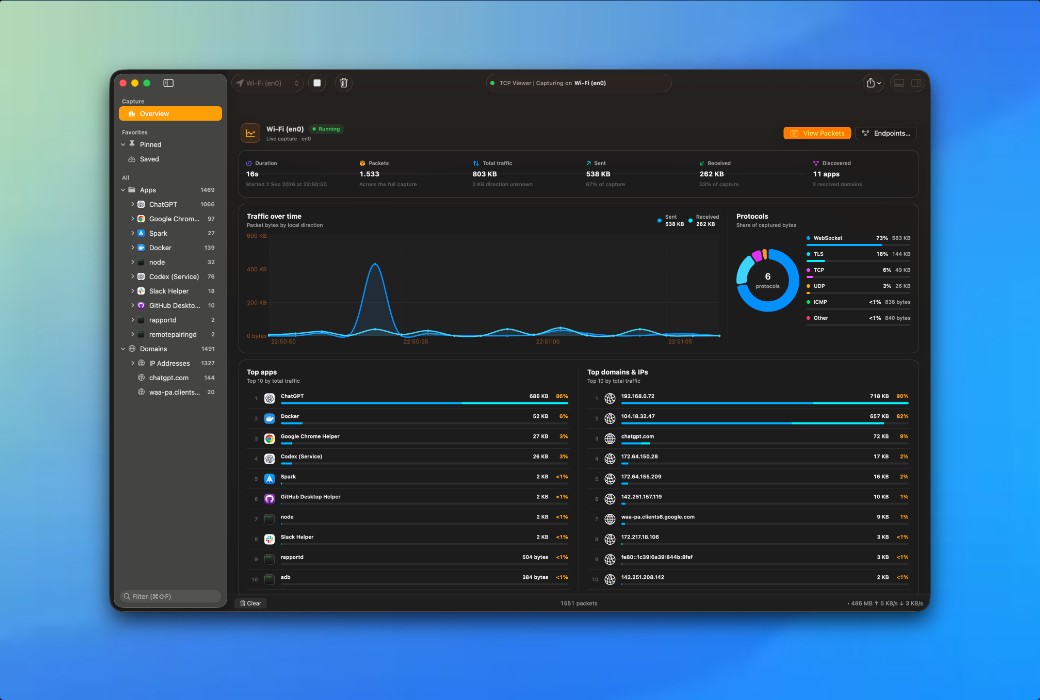
TCP Viewer Mac Native Packet Viewer — A simpler, native Mac alternative to Wireshark
Easy Packet Capture
Simple yet powerful. Select a network interface, start recording, and maintain smooth packet capture even with busy networks.
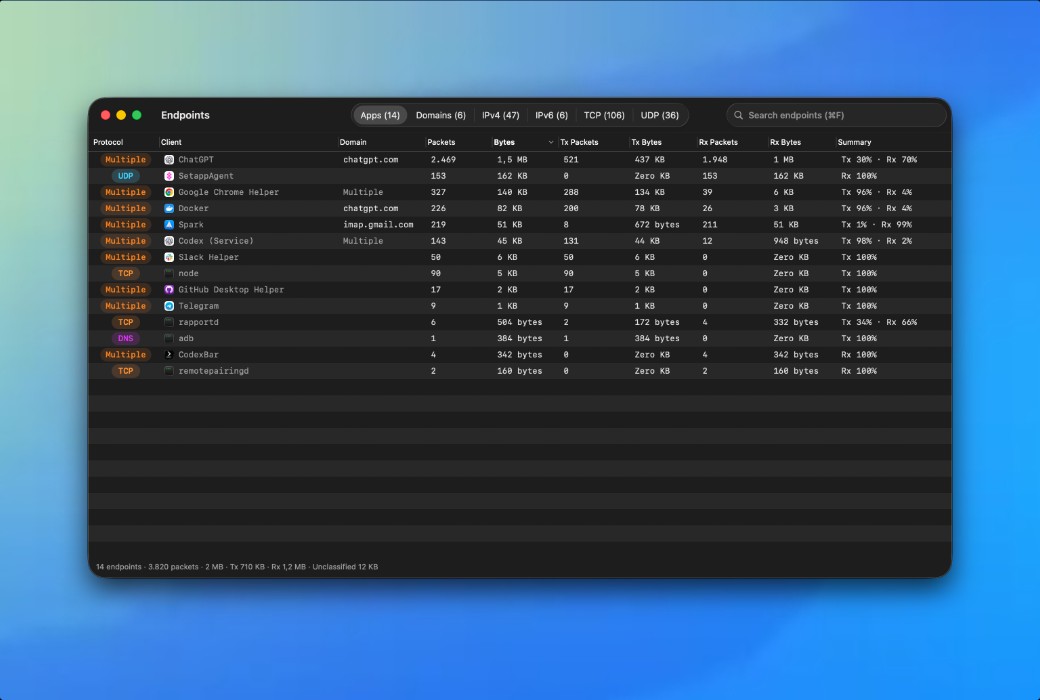
View Packet Details Like Wireshark
TCP Viewer is built on the Wireshark packet analysis engine. Explore decoded protocols, field values, and raw bytes in a native Mac interface.
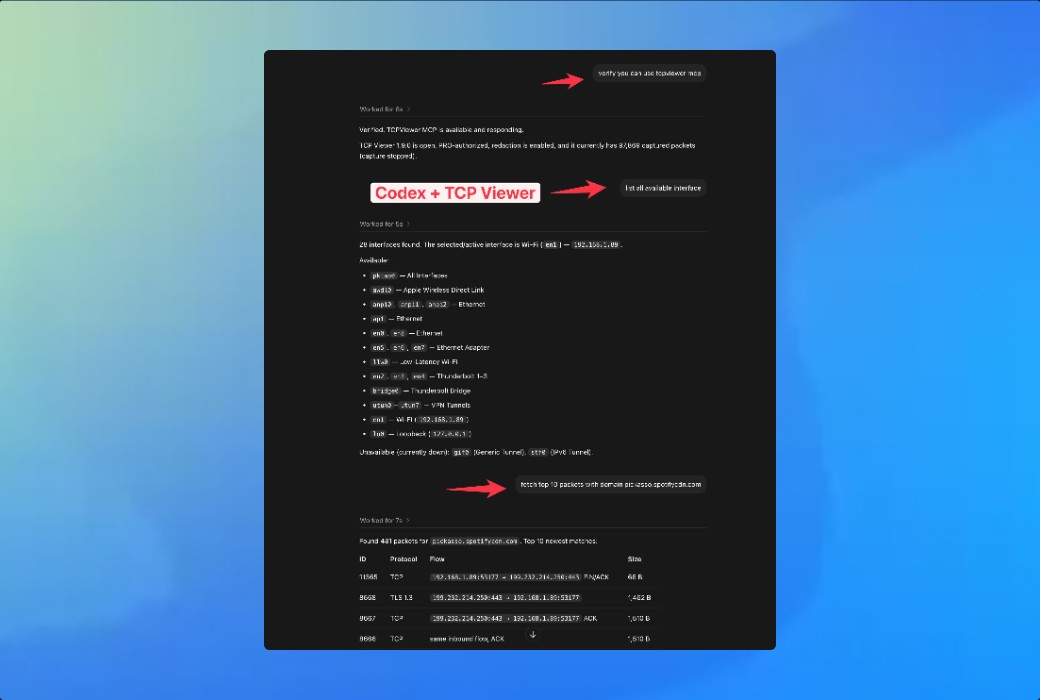
Ask Your AI Agent About Packets
Connect TCP Viewer to Codex or other MCP clients. Check capture status, explore interfaces, and find important packets with simple language prompts. TCP Viewer PRO provides this feature.
Open PCAP and PCAPNG Files via Drag and Drop
Import existing captures into TCP Viewer to preview packets immediately without creating a new recording session.
Official Website:https://tcpviewer.proxyman.com/
Download Center:https://tcpviewer.apsgo.cn
Delivery Time: Automatic delivery within 24 hours
Operating Platform: macOS
Interface Language: Supports English interface display.
Update Instructions: Supports 1-year upgrade updates.
Trial Before Purchase: Free trial available before purchase.
How to Receive the Product: After purchase, the activation information will be sent to the email address used for the order via email. Additionally, the corresponding product activation code can be viewed in the personal center, under "My Orders".
Number of Devices: Depends on the purchased license.
Replacing Computer: Uninstall on the original computer and activate on the new computer.
Activation Guide: To be added.
Special Instructions: To be added.
References:https://tcpviewer.proxyman.com/

Any question

Standard is suitable for use with one device, while Combo is suitable for use with two devices